A Google Photos–like experience on storage you control.
MyPics indexes your S3-compatible bucket and gives you fast timeline browsing, thumbnails, and a clean library view. Your originals stay in your bucket.
Requires an S3-compatible bucket and access keys.
 MyPics














Why we built MyPics
We wanted control without losing the simple viewing experience.
We built MyPics because we wanted full control over our photo storage, but the tools we trusted every day were Google Photos and Apple Photos. They are effortless to browse, search, and keep in sync.
The problem was everything behind the scenes: your photos live in someone else’s storage, and the more you rely on it, the harder it becomes to leave. Migrating years of memories is slow, expensive, and frustrating.
We didn’t want to maintain a complex home-grown stack just to get a decent photo viewer. We wanted a clean, reliable UI on top of storage we already control.
So we built MyPics: a Google Photos–like experience that runs on your S3-compatible bucket. You keep ownership, avoid lock-in, and still get a fast, organized library.
Who this is for
Built for people who already work with S3 and buckets.
This is for you if
- You already store photos in S3-compatible buckets or plan to migrate.
- You want a fast viewer without moving files to a new platform.
- You prefer predictable costs and no vendor lock-in.
This is not for you if
- You want a fully managed photo service with storage included.
- You prefer not to manage buckets or access keys.
- You want a consumer-first app that hides S3 details.
Own every pixel again.
Mainstream photo services are excellent, but you do not control storage or quality. Costs scale with volume, and leaving can be painful.
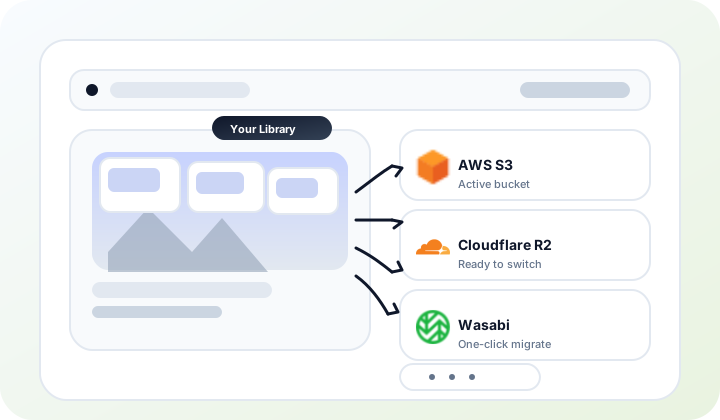
Why MyPics wins
Keep originals in storage you control.
Photo platforms try to lock you into their ecosystem. With MyPics, you pick the provider and keep full control from day one.
Predictable costs without pricing surprises.
Providers change tiers and policies. By owning the storage choice, you can move when pricing shifts instead of absorbing it.
Export anytime, with no lock-in.
Decades of memories should never be trapped. MyPics keeps your library portable so leaving is simple and fast.
Quality and formats are your decision.
Set the compression, formats, and versions you want. Your originals stay pristine, and MyPics adapts to your preferences.
A viewer built for large libraries
Fast navigation and thumbnails on top of storage you already control.
Timeline navigation by year / month / day
Jump across decades with a single scrub.
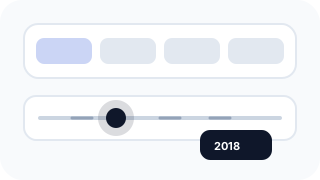
EXIF-aware ordering
Dates and locations from metadata keep everything in place.

Fast thumbnails for smooth browsing
Generated once so large libraries stay responsive.
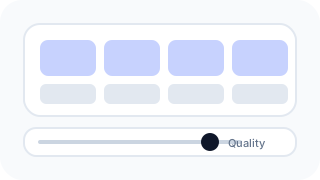
Smooth browsing at scale
Scroll and filter across thousands of photos without lag.

S3-native, no lock-in
Your files stay in your bucket, and you can change providers later.
How it works
Four steps to a private, owned photo library.
Set up your storage
Pick any S3-compatible provider, sign up, and set up a new bucket. This is where your originals will live.
Upload your photos
Use any tool you like: rclone, Cyberduck, CLI, or sync apps. MyPics reads what is already in your bucket.
Connect MyPics
Provide four details once, and MyPics stays connected. No ongoing configuration needed.
- Endpoint
- Region
- Access key
- Secret key
Browse your library
Enjoy a rich UI with fast navigation, fresh thumbnails, and instant search. Your library feels organized from day one.

MyPics vs Others
A fair comparison that highlights ownership and predictable cost.
Choose any S3 provider and keep control.
No ownership
Locked to Google; switching means export.
No ownership
Tied to iCloud; hard to move later.
No ownership
Bound to iDrive plans and tooling.
Full control, but you manage infra.
Your bucket stays yours.
Partial
Possible, but requires a full manual export.
Partial
Possible, but manual and time-consuming.
Partial
Possible, but tooling is limited.
Data stays on your box.
Point MyPics at a new bucket.
No
No storage choice.
No
No storage choice.
No
Storage is fixed.
Migrate your server data.
Viewer fee stays the same at any storage size.
Hard to predict
Pricing depends on storage tiers and plan changes.
Hard to predict
Pricing depends on iCloud tiers and plan changes.
Hard to predict
Pricing depends on plan tiers and policy changes.
Hard to predict
Costs vary with hardware, maintenance, and time.
Connect your bucket once.
Sign in and upload.
Built into iCloud.
Use iDrive app.
High
Install and maintain stack.
You control storage and access.
Ad-based business
Data fuels ecosystem.
Ecosystem lock-in
Tied to Apple services.
Ecosystem lock-in
Closed platform.
Depends on you
You own security.
Storage ownership
MyPics
Choose any S3 provider and keep control.
Google Photos
Locked to Google; switching means export.
Apple Photos
Tied to iCloud; hard to move later.
iDrive Photos
Bound to iDrive plans and tooling.
Self-hosted
Full control, but you manage infra.
Cancel without losing data
MyPics
Your bucket stays yours.
Google Photos
Possible, but requires a full manual export.
Apple Photos
Possible, but manual and time-consuming.
iDrive Photos
Possible, but tooling is limited.
Self-hosted
Data stays on your box.
Switch storage later
MyPics
Point MyPics at a new bucket.
Google Photos
No storage choice.
Apple Photos
No storage choice.
iDrive Photos
Storage is fixed.
Self-hosted
Migrate your server data.
Predictable cost
MyPics
Viewer fee stays the same at any storage size.
Google Photos
Pricing depends on storage tiers and plan changes.
Apple Photos
Pricing depends on iCloud tiers and plan changes.
iDrive Photos
Pricing depends on plan tiers and policy changes.
Self-hosted
Costs vary with hardware, maintenance, and time.
Setup effort
MyPics
Connect your bucket once.
Google Photos
Sign in and upload.
Apple Photos
Built into iCloud.
iDrive Photos
Use iDrive app.
Self-hosted
Install and maintain stack.
Privacy model
MyPics
You control storage and access.
Google Photos
Data fuels ecosystem.
Apple Photos
Tied to Apple services.
iDrive Photos
Closed platform.
Self-hosted
You own security.
* Google and Apple have more mature ecosystems today. MyPics focuses on ownership, predictable cost, and flexibility as it improves over time.
Storage providers
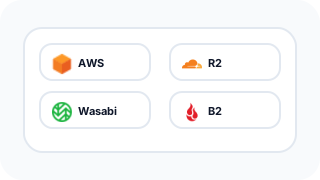
Already using S3? These are common S3-compatible options.
Not sure about egress fees? What is egress


FAQ
Everything you want to know about MyPics.
What happens to my originals if I cancel?
Nothing changes. Your originals stay in your bucket, and you can keep accessing them with your own tools at any time.
Can I switch providers later?
Yes. Move or sync your data to a new S3 bucket, then point MyPics at the new endpoint and keep browsing with no lock-in.
Do I have to re-upload everything?
Only if you want to move providers. MyPics reads whatever is already in your bucket and indexes it in place.
Do you store my originals?
No. Originals stay in your S3-compatible bucket at all times. MyPics reads metadata and generates thumbnails, but does not keep your originals.
What permissions do you need for my bucket?
Read access to your objects plus permission to write thumbnails and an index. You can scope access to a single bucket.
Which providers are supported?
Any S3-compatible provider such as AWS S3, Cloudflare R2, Backblaze B2, Wasabi, and more.
Will dates and location be preserved?
Yes. We read EXIF metadata to preserve timestamps and location when available, so your library stays organized.
What happens if I cancel?
Your library remains in your bucket and is fully usable without MyPics. You can keep using your storage provider normally.
How much does it cost?
Beta pricing is $1/month for early participants, plus whatever your storage provider charges. The viewer fee is locked for beta users, but may increase for new customers later.
Is this self-hosted?
No. MyPics is hosted, but it runs on top of your storage and does not keep originals. You control where the data lives.
Join the beta
Help shape MyPics and get early access when we open the doors.